
ScalaHosting Nameservers: Point Your Domain Easily
Estimated reading time: 3 minutes, 34 secondsLast updated on August 11th, 2026 at 10:23 am
ScalaHosting Nameservers are an integral part of the domain name system. As soon as you buy web hosting packages, the first thing that you do as a new user is to customise nameservers and point it to your domain name or if you already have a domain name registered with another service provider, you update your nameservers.
So, how to find the nameservers of scalahosting? How to point the domain name to the
Nameservers? How to track the updated nameservers? And last but not least, how to contact tech support in case of nameserver-related configurations? are the questions that we’ll be answering you through this article.
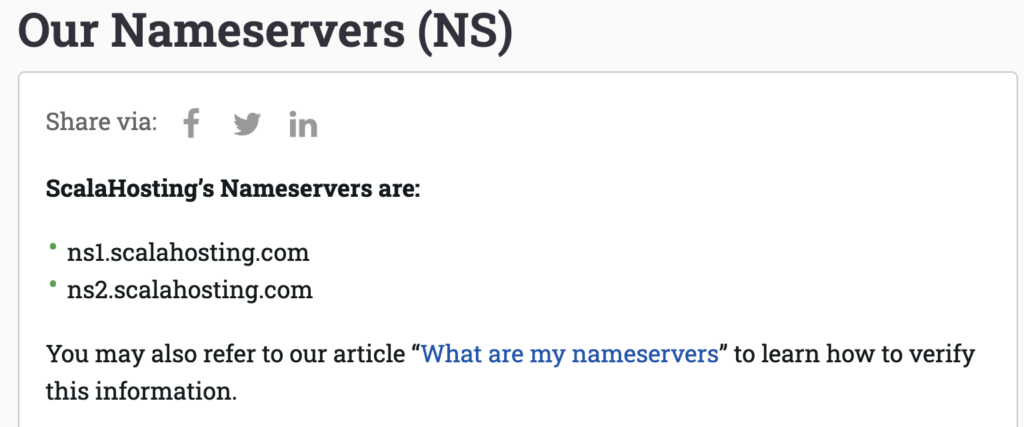
To begin with, what are the nameservers of Scala Hosting by default? They are:
ns1.scalahosting.com
ns2.scalahosting.com
How to Find ScalaHosting NameServers?
When you buy the services from ScalaHosting, they provide you with the nameservers in the welcome email.
However, for new users, the nameservers of the registered domain can be obtained by the support team via the live chat option discussed below.
How do I point to the ScalaHosting NameServer in my Domain?
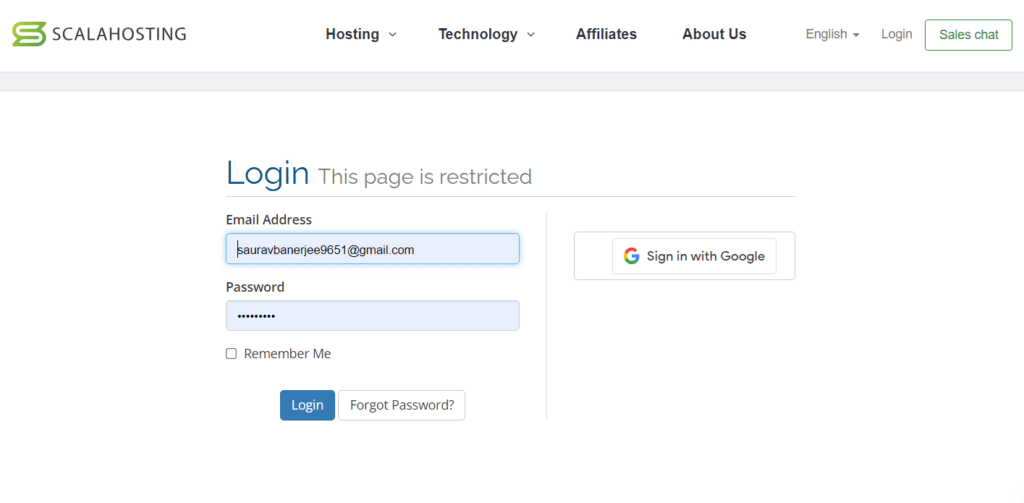
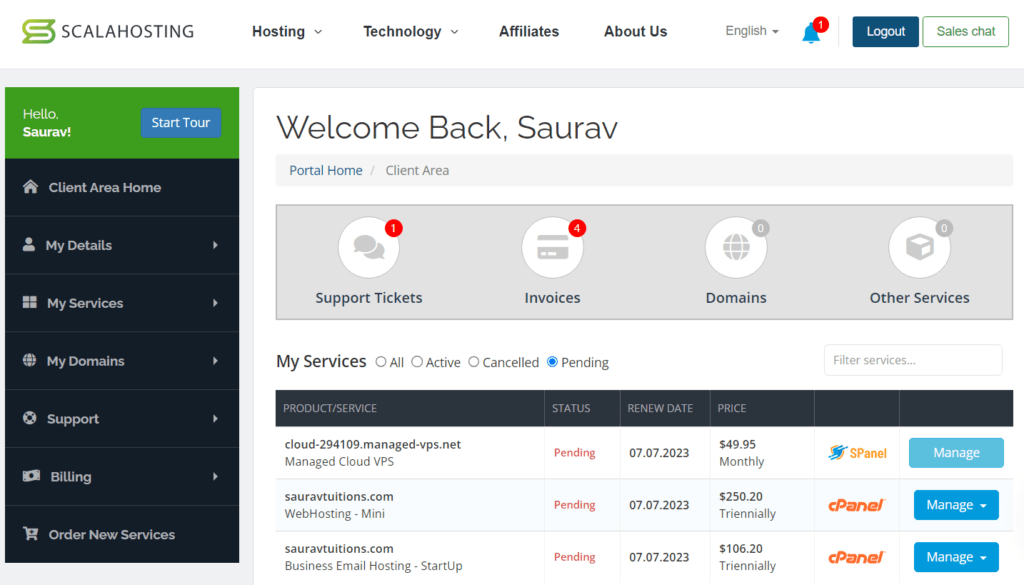
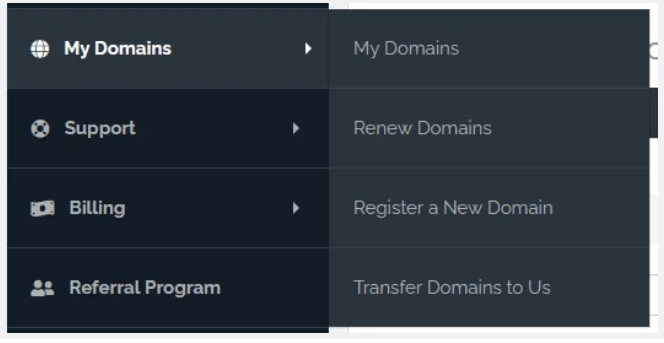
After registering domain name, the issue arises of how to point the ScalaHosting nameserver in the domain? It can be done by following the given steps:
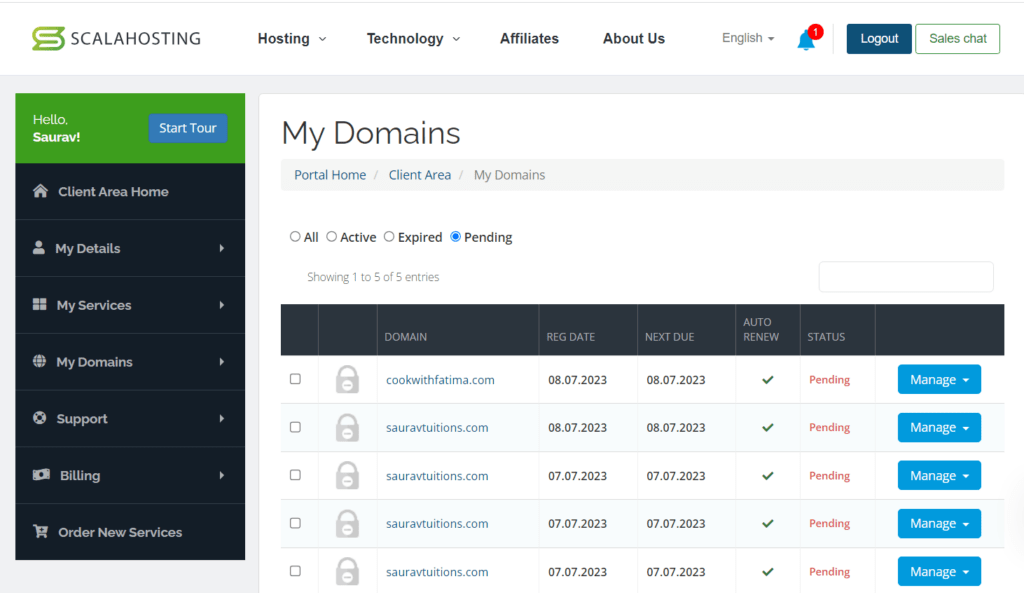
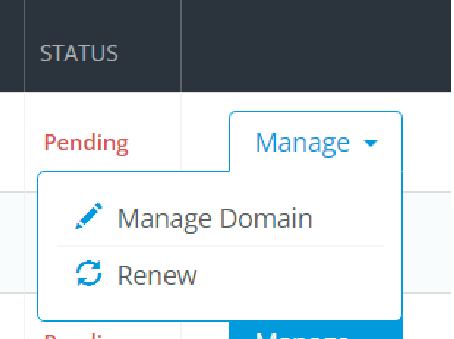
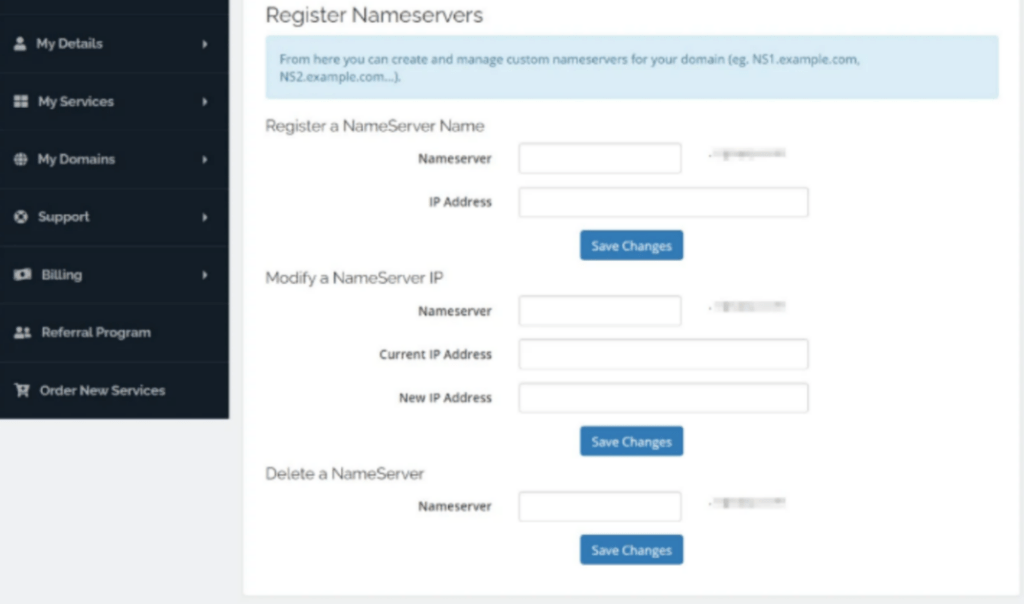
When pointing the nameservers to the domain, checking and verifying the updated nameservers also becomes important. Usually it takes 24 hours to get updated. Nevertheless, checking the status for verification is important.
Normally, experts use a third-party app to check the updated nameservers to get a prompt reply.
And when it comes to promptness and a cost-free WHOIS checker tool, what else can come in the picture, other than onlyloudest WHOIS CHECKER TOOL>>>>> VISIT
How do I Check and Verify my Updated NameServers?
To obtain speedy results, it is advisable to use a third-party application to check and verify the updated nameservers. Onlyloudest, one of the best web hosting providers, offers not only a user-friendly but also a cost-free tool for checking the status of updated nameservers.
Here are the ways to get access to it:
How to Contact ScalaHosting Support if my Nameservers Are not Working?
In case of troubles faced related to the nameservers in Scalahosting, you can simply refer the issue to a live chat agent or submit a ticket.
To check the responsiveness of the live chat agent on nameserver issues, we tried contacting it. The chat executive answered the issue satisfactorily by providing me with the nameservers of the registered domain name.
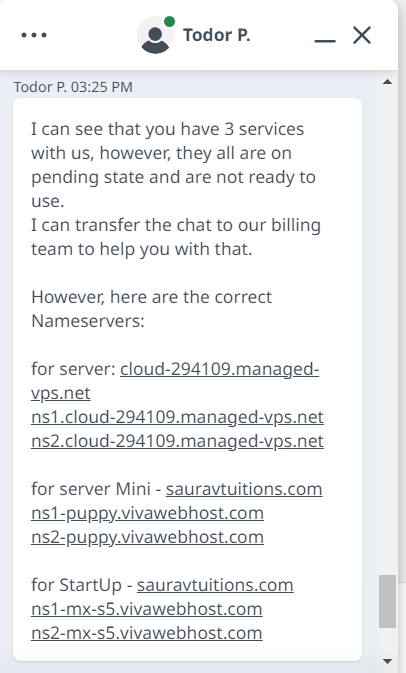
ScalaHosting Support teams are helpful and quick in giving responses to issues related to DNS and finding nameservers.
Conclusion
This article enables you not only to locate and point your nameserver to the Domain name but also, in case you require further assistance, to contact tech support to resolve the issue.
We sincerely believe that the information provided above proves useful to you, and if so, we kindly urge you to like and share the article. Feel free to post your comments, and in case you need any support, try emailing us at: (admin@onlyloudest.com)
📌 Related: Order Hosting From FirstVDS
📌 Related: Hostinger Login
