
WebHostFace Nameservers Point Your Domain in Easy Steps
Estimated reading time: 4 minutes, 3 secondsLast updated on August 7th, 2026 at 11:43 am
Every website needs a good hosting service to make the website available on the internet. In this article, you will learn about one of the top hosting service providers known as WebHostface Nameservers. With WebHostface, you can choose shared hosting, reseller hosting, VPS hosting, or a dedicated server with cPanel.
Various packages are available with WebHostface, which are designed to meet your requirements. Below you can find more details regarding the nameservers and other information related to domains and packages in detail.
What is a Nameserver?
The use of a nameserver is to translate domain names into IP addresses. As a result, users can access websites by simply entering the domain name in a web browser.
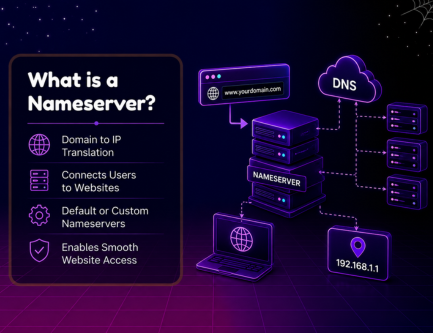
When a domain is registered with a host, you can also set default nameservers or custom nameservers for every domain you register.
What are Private Nameservers and How Do I Set Them Up?
Private nameservers, also known as Private DNS, are the nameservers that reflect your domain name but do not reflect your hosting provider.
Creating a private nameserver can enhance trust in your clients, which can result in taking your business to another level. To set up the private nameserver with WebHostface, you need to log in to your account and select the client area.
Under the order section, you will be able to create private nameservers.
What are WebHostface Nameservers?
WebHostface nameservers are those nameservers created by the host. When a user registers a domain, he/she can either choose default nameservers or custom nameservers.
Where can I find my Nameservers?
To find the nameservers in WebHostface, follow the steps given below.
How to Change DNS for a Domain?
Do as mentioned in the steps given to change DNS
My Domain name server does not work
If your domain name server is not working, then there might be some problem at the user end. It may be because of a poor internet connection or network, an outdated browser, or even due to misconfigured DNS settings.
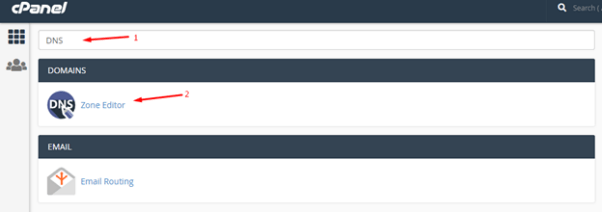
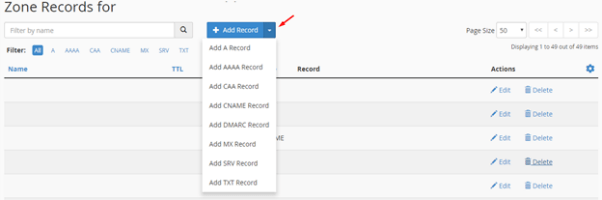
How to Change DNS for a Domain using cPanel?
To change the DNS for a domain you have registered using cPanel, follow the steps given below:

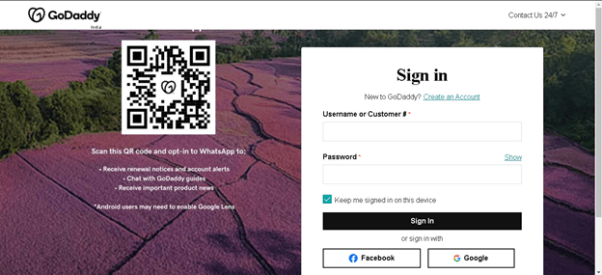
How to point your GoDaddy Domain to WebHostface Nameservers?
To point your domain in GoDaddy to WebHostface Nameservers, check the guidelines given below:
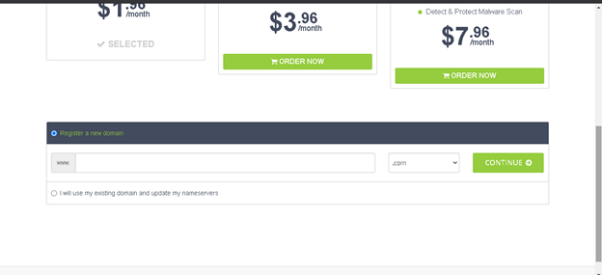
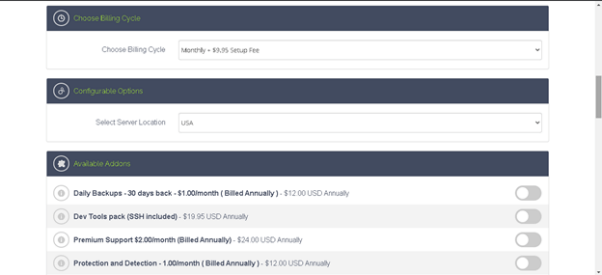
How to Order a Hosting Package from WebHostface?
If you would like to order a hosting package from WebHostface, follow the steps mentioned below:

Conclusion
These are certain details regarding WebHostface nameservers and setting and managing your nameserver. WebHostface has a good customer support team, and they also provide offers for hosting packages.
So check the website well to know about the offers.
📌 Related: Rumahweb Login
📌 Related: Rumahweb Nameservers
