
5 Best RDP for AI Agents on a Budget in 2026
If you want to run the best RDP server for AI agents, it is possible on your local machine, but let’s be honest, it won’t last long. AI agents are resource-hungry. They require at least 2-16 GB RAM, a powerful multi-core CPU with high-speed storage, and a 24/7 internet connection running.
Your personal laptop or desktop simply wasn’t built for this; it will overheat, crash, slow down, or disconnect at the worst possible moment and will break your entire automation workflow.
To run good AI agents properly, you need a dedicated environment that stays online without consuming your local resources. This is where the RDP server comes in. It will provide you not just stability, but also the ability to run your AI agents seamlessly with no interruptions.
After testing, we have provided the 5 best budget-friendly RDP providers that are built to deploy and run your AI agents smoothly and reliably.
Top 3 Recommendations –
Every RDP server is not built the same way. Here are our top 3 picks so you can skip the research and start building right away.
| RDP Server Provider | Why/Best For | Pricing |
| QloudRDP | Best for beginners & solo developers who need instant setup. Offers full admin access & NVMe storage | Starts at $9.99/month |
| Kamatera | Best for developers who want full control & flexibility. | Starts at $4/month |
| YouStable | Best for reliable Windows RDP with solid AI-ready performance with full admin access. | Starts at $15/month |
All 3 top-recommended providers give you dedicated computing power, 24/7 uptime, and full admin access to everything you need to run AI agents without interruption.
Key Hardware Requirement for an AI Agent
Running an AI agent on an RDP server requires a completely optimized environment for resource stability and connection continuity. Let’s see some of the major requirements you would need to run your AI agent smoothly.
- Dedicated Resources: Your RDP server must have enough CPU, RAM, and SSD storage to handle AI computations and multitasking smoothly.
- CPU: Multi-core CPU (e.g., like modern Intel Xeon or AMD EPYC)
- RAM: 8 GB – 16 GB & 32 GB for a seamless and uninterrupted experience.
- SSD Storage: A minimum of 50 GB to 100 GB of SSD storage.
- Visualization & Interaction: AI agents on RDP require a proper graphical interface to interact with applications like reading on-screen data and performing visual tasks efficiently.
- Stable Session with 24/7 Uptime: The RDP server must have persistent sessions with a 99.99% uptime guarantee, which ensures that your AI agent runs continuously without any interruptions.
- Low Latency & Networking: High bandwidth and low latency are important for real-time AI agent responses. A 1Gbps connection ensures smooth server communication.
- Security: Your RDP server must have strong security with DDoS protection and two-factor authentication to keep your AI agents and their data safe from unauthorized access & cyber threats.
Why You Need a Dedicated RDP for AI Agents
Running AI agents on your local machines means a slow workflow and missed tasks. A dedicated RDP server solves all of this, giving your agents a permanent and powerful home.
Let’s see the major reasons for this:
- AI agents need 24/7 uptime; maybe your laptop can sleep, but an RDP never does.
- There are no shared resources, you get full CPU and RAM and no slowdowns because of other users.
- You get full admin access, so install any AI tool without any restrictions.
- Your API keys stay secure, as they are stored on a protected server and not on your personal machine.
- If you need more power, just upgrade your plan, and you don’t need any new hardware, so it gives easy scalability.
If you want to run AI agents smoothly and better, then a dedicated RDP is not an option; it is essential. It is the cheapest way to get enterprise-level reliability without paying the cost for it.
5 Best RDP Providers for AI Agent in 2026
We will now understand in a little depth about these 5 top RDPs that offer you an autonomous workflow for your AI agents 24/7.
1. QloudRDP – Instant Setup, Budget Pricing, Zero Hassle
If you want faster and safer remote access, QloudRDP is the answer. It is one of the best providers of RDP servers and helps you work smoothly from anywhere. QloudRDP keeps your connection running 99.99% of the time with no bandwidth limits.
It works great for web developers, forex traders, SEO experts, and many other professionals. It supports both Windows and Linux and keeps your data protected with strong DDoS security.
Key Features
Let’s see QloudRDP’s features in detail:
- High-Speed NVMe SSD Storage with AMD EPYC Processors: If your server is lagging when your AI agent is in the middle of a task, QloudRDP’s NVMe SSD storage paired with AMD EPYC 7302P CPUs will keep everything running fast.
- Instant Setup & Advanced Protection: Don’t waste hours configuring a server. QloudRDP activates within minutes with a dedicated IP, DDoS protection, and encrypted connections.
- Full admin/root access: Some hosts won’t allow you to install the tools you actually need, but with QloudRDP, you get 100% admin access and can easily install n8n, AutoGPT, and custom APIs.
- Global low-latency infrastructure: Slow remote connections kill your productivity, but QloudRDP has 12 live server locations and up to 1 Gbps connectivity. QloudRDP keeps your AI agents running fast, no matter where you are in the world.
Specs/Pricing Range
Let’s see the pricing range for QloudRDP:
- Standard – $9.99/month (75% OFF) (2 GB RAM & 70 GB NVMe & 99.99% uptime) Perfect for lightweight AI agents.
- Professional – $15.99/month (75% OFF) (4 vCPU, 4 GB RAM & 100 GB NVMe) Best for running multiple AI agents.
- Enterprise – $25.99/month (75% OFF) (8 GB RAM, 120 GB NVMe.) Best for heavy AI workloads.
2. YouStable – Premium AMD Hardware With Support That Actually Shows Up
YouStable is a trusted RDP server provider based in India. Their data centers are Tier 3 and Tier 4 certified, meaning they’re designed to handle maintenance and failures without shutting down. They provide 24/7 support, weekly backups, and free website migration up to 5 GB of data.
With over 11 years of experience, YouStable has successfully hosted more than 50,000 websites. To keep performance smooth, they limit the number of users per server, reducing interruptions.
Key Features
Let’s see the features of Youstable:
- 10x Faster Infrastructure for AI Agents: Slow servers break AI workflow. Youstable’s Tier 3 and 4 data centers deliver 10x faster performance.
- Uninterrupted AI performance: Overcrowded servers cause AI agents to crash, but Youstable limits users per server, giving your AI agent dedicated resources to run 24/7.
- Free Migration & Weekly Backups for AI Deployments: Youstable offers automated weekly backups and handles your data transfer for free up to 5 GB on shared plans.
- 99.99% uptime with 24/7 monitoring: Its infrastructure has been designed to maintain stable uptime and reduce expected downtime.
Pricing
Youstable pricing typically ranges from $27.46 to $117.03/month. It is perfect for beginners and developers and gives maximum stability for demanding AI tasks.
3. InterServer – Same Price Forever, No Renewal Surprises Ever
InterServer has been in the hosting circle for the last 27 years and is one of the most reliable and budget-friendly RDP providers. The best part about InterServer is its price lock guarantee, where you just do the easy sign-up and never increase the range of renewals.
Here, you get full admin access, SSD storage, and InterShield security protection that actively blocks attacks before they reach your server.
Key Features
InterServer features are the following:
- InterShield Security System: AI agents need strong security to run smoothly. InterServer comes with in-house security setups that include a firewall, malware databases, and automatic virus scanning.
- Upgradeable Resources to Match AI Demands: AI agents grow more resource-intensive over time as tasks expand. A fixed server plan can make your automation slow, so InterServer lets you easily upgrade RAM and CPU on demand for your AI agents to keep running.
- NVMe SSD Storage: AI agents constantly read & write; slow storage can create issues and delay automation, but with InterServer’s high-end NVMe SSD storage technology, you get faster data transmission.
- Price Lock Guarantee: Running AI agents requires affordability, but InterServer won’t give you surprise renewals and keeps your AI hosting budget stable month after month.
Pricing Range
InterServer pricing ranges go from $10 – $160/month. It is best for solo developers and for running multiple AI agents.
4. Kamatera – Scale Up Or Down In Minutes, Pay Only For What You See
Kamatera makes it easy for large businesses to set up remote desktop hosting using its secure and powerful infrastructure. If your business experiences heavy traffic, Kamatera’s cloud servers and developer-friendly environment can handle it efficiently. It offers full root access and flexible, customizable plans.
Kamatera operates with data centers located worldwide, covering North America, Europe, Asia, and the Middle East. This wide reach allows you to deploy your RDP server closer to your users, ensuring fast and low-latency connectivity.
Key Features
Let’s see its core features in detail:
- Best scalability: AI agents demand more resources as tasks grow heavier. Kamatera lets you upgrade CPU, RAM, and storage in real time, so your AI agent never runs out.
- DDR5 RAM & NVMe SSD for High-Speed AI Processing: Slow memory with storage can delay your AI tasks’ execution. Every Kamatera RDP plan includes DDR5 RAM paired with Xeon-scalable processors, giving your AI agent the processing speed it needs.
- One-click server deployment for AI: Server setup wastes your time and pushes back your AI agent, so Kamatera deploys new servers in a few seconds without any manual intervention. It allows your AI agent to run fast and smoothly.
- Unmetered Bandwidth for Non-Stop AI Operations: AI agents continuously transfer data, and bandwidth limits can disrupt performance anytime. Kamatera offers unmetered bandwidth with data traffic up to 50 Mbps.
Pricing Rating
Kamatera comes with a range starting from $4 – $150/month, best for individuals and developers looking for great speed and security. It even offers a 30-day free trial.
5. UltaHost – Enterprise-Speed Performance With Managed Security Built In
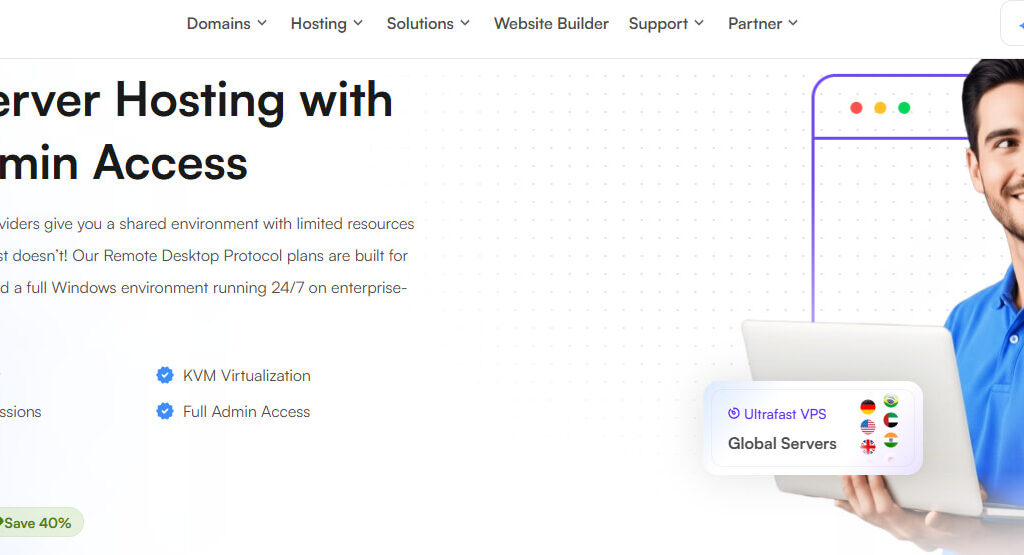
UltaHost gives you a hosting experience with no limitations. It is faster than traditional hosting and offers a premium Windows RDP solution with a 99.99% uptime guarantee and 25 data center locations.
UltaHost gives you full administrative access to your server. It also provides premium DDoS protection at no extra cost, keeping your server safe at all times. It gives 1 Gbps network connectivity, and you can easily monitor and manage all your server activity without any interruptions.
Key Features
Let’s see UltaHost’s features:
- Full RDP access with instant deployment: You get complete administrative control and deploy your Windows VPS servers instantly after purchase.
- BitNinja Security for AI Agent Protection: AI agents handle sensitive data and run automated tasks, making them a target for cyberattacks. UltaHost offers BitNinja security, dedicated firewalls, and IP whitelisting to protect your AI agent.
- Staging environment: If you deploy an untested AI agent on a live server, it risks breaking your entire workflow. UltaHost brings in a staging environment where you can test your AI agents in an isolated space first before going live.
- Enterprise Hardware with DDR5 RAM & NVMe SSD: UltaHost uses fast NVMe storage and next-gen AMD EPYC processors for faster remote execution.
Pricing Range
UltaHost’s range for RDP servers starts from $13.99 – $36.50/month, best for developers and heavy AI projects.
Conclusion
If you want to run your AI agents on a budget, the right RDP server provides a reliable, always-on environment for your agents to run without interruptions. Every provider that we have mentioned here brings something unique for your agent.
We absolutely recommend you go with QloudRDP if you are a beginner and want an instant setup. It is one of the smartest picks if you are a budget-conscious beginner, or you can even refer to YouStable for their fast infrastructure or go with another recommendation, Kamatera, and start your 30-day free trial first.
You need a server that stays online, is fast, and comes with affordable pricing.
So don’t waste your time anymore, running agents on your local machines and facing interruptions. Instead, refer to this article and understand each aspect from requirements to top providers.
Get started today and experience a smooth AI agent running.
FAQs
What is the main difference between a standard RDP and one optimized for AI agents?
A standard RDP is built for basic remote access, browsing, and simple tasks, whereas the optimized RDP has more CPU cores and higher RAM. AI agents make constant API calls with background processes nonstop, so they need a server that can handle that load without slowing down or disconnecting.
What is the most common mistake when setting up a budget RDP for AI?
If you pick the cheapest plan without checking the RAM. AI agents at least need 2 GB of RAM to run smoothly for basic operations, so underpowered RAM could be the one mistake in setting your budget for RDP for AI.
How can I keep my RDP costs low while running multiple AI agents?
You can start with one mid-tier plan and not the cheap ones. Run all your agents on the same server using lightweight tools like n8n or CrewAI, and only upgrade when you actually hit a performance limit.
Can I run a local LLM (like Llama 3) on a cheap RDP budget?
Yes, but carefully. Llama 3 needs at least 8 GB RAM for the smaller 8B model. A budget RDP with 4 GB will struggle, so go with a plan with 8 GB+ RAM and NVMe storage for decent performance without spending on a GPU server.
