
Kannada Voice Typing App 2026 — Speak in Kannada & Convert Your Voice to Text
Estimated reading time: 21 minutes, 45 secondsLast updated on September 16th, 2026 at 10:59 am
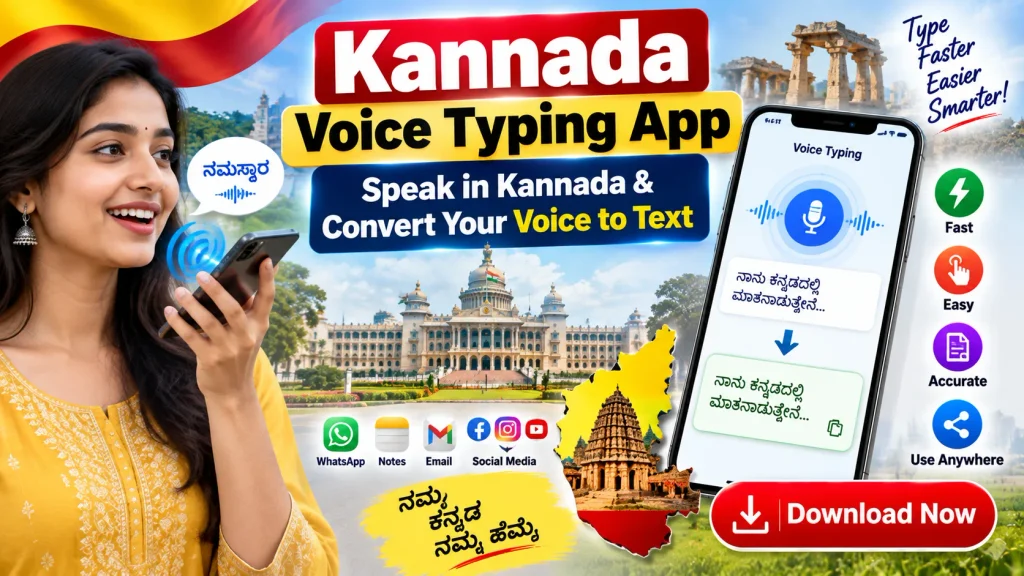
Typing long messages in Kannada (ಕನ್ನಡ) on a smartphone can sometimes take more time than expected, especially when you need to switch between letters or are not comfortable with a Kannada keyboard. A Kannada Voice Typing App can make this process much easier by allowing you to speak naturally in Kannada and convert your speech into written text instantly.
Instead of manually typing every word, you can simply tap the microphone, speak your sentence, and let speech-to-text technology create Kannada text for you — no external app installation required. The generated text can then be reviewed, corrected, copied and used in WhatsApp messages, notes, social media posts, emails and many other places. This guide also includes a free, browser-based Kannada voice typing tool you can use right now, plus everything you need to know about apps, accuracy, privacy and troubleshooting.
Try Kannada Voice Typing Online — Free Tool
Tap the microphone below, allow microphone access, and start speaking in Kannada. This tool uses your browser’s built-in speech recognition (Google Chrome on Android and desktop works best) — there is nothing to download and no sign-up required.
ಕನ್ನಡ ಧ್ವನಿ ಟೈಪಿಂಗ್ — Kannada Voice Typing
Your voice is processed by your browser’s speech-recognition service (for example, Google’s engine in Chrome) to generate text — this website does not record or store your audio.
Your current browser does not support live voice typing. Please open this page in Google Chrome on Android or desktop, or use the Kannada voice input on Google’s Gboard keyboard instead.
This free Kannada voice typing tool works directly in your browser using the Web Speech API. For the most accurate results, use Google Chrome on Android or a desktop computer, speak in short sentences, and keep your microphone close to your mouth.
Whether you regularly communicate in Kannada or simply want a faster way to write Kannada on your phone, voice typing can be a useful everyday tool.
What Is a Kannada Voice Typing App?
A Kannada Voice Typing App is a speech-to-text tool designed to recognize spoken Kannada and convert it into Kannada script (ಕನ್ನಡ ಲಿಪಿ) using Automatic Speech Recognition (ASR) technology.
For example, instead of opening a Kannada keyboard and typing a complete sentence manually, you speak the sentence into your phone’s microphone. The voice recognition system — often powered by Google’s speech engine on Android, or Apple’s dictation on iPhone — processes your speech and displays the corresponding Kannada text.
The basic process is:
Speak in Kannada → Voice Recognition (ASR) → Kannada Text → Review → Copy or Share
Modern smartphones can provide surprisingly convenient voice-input functionality, although accuracy depends on pronunciation, background noise, internet connectivity and the speech-recognition technology being used. Kannada, spoken widely across Karnataka and in cities like Bengaluru, Mysuru and Mangaluru, is supported as a recognized input and output language (locale code kn-IN) on most current Android and Chrome-based speech services.
Kannada Voice Typing — Quick Overview
| Feature | Details |
|---|---|
| Main Function | Convert Kannada speech into text |
| Input Method | Voice/Microphone |
| Output | Kannada text (Unicode script) |
| Language Code | kn-IN |
| Free Online Tool | Available on this page — no installation needed |
| Device | Android, iPhone, or any Chrome-supported desktop |
| Useful For | Messages, notes, posts, searches and drafts |
| Kannada Keyboard Skills | Not always necessary |
| Editing | Text can generally be corrected manually |
| Sharing | Depends on the app or tool being used |
| Internet | May be required for some speech engines |
| Accuracy | Depends on speech clarity and recognition system |
| Cost | Free options widely available |
| Best Use | Quick everyday Kannada typing |
How Does Kannada Voice Typing Work?
Voice typing uses speech recognition technology, also called Automatic Speech Recognition (ASR) or Natural Language Processing (NLP)-based transcription.
When you speak into the microphone, the device or application captures your voice as an audio signal. A speech-recognition engine — such as the one built into Google Chrome, Android’s voice input, or Google’s Gboard keyboard — then analyzes the audio, identifies spoken words and converts them into written characters.
For Kannada, the system attempts to identify Kannada pronunciation and produce the appropriate Kannada script using the kn-IN language model.
The exact technology varies between apps. Some applications use their own speech-recognition systems, while others depend on speech services already available on the smartphone, such as the Web Speech API used by the free tool on this page.
Because of this, two Kannada voice typing apps may produce different results from the same spoken sentence.
How to Use a Kannada Voice Typing App Online in 2026
Using voice typing is generally straightforward. You can either use the free online tool above directly in your browser, or install a dedicated app on your phone. Here’s how to get started with an app:
Step 1: Choose a Voice Typing App
Find a trusted Kannada speech-to-text or voice typing application compatible with your device. This could be a dedicated speech-to-text app, a keyboard app with a built-in voice option such as Gboard, or simply the free online tool on this page if you would rather not install anything at all.
Taking a minute to choose carefully at this stage saves trouble later, since some apps understand Kannada pronunciation better than others and some are updated more actively than others.
Before installing, review:
- Developer information
- User reviews
- Number of downloads
- Last update
- Permissions requested
- Privacy information
- Supported languages
Avoid downloading APK files from unknown websites when an official app-store version is available. Sideloaded apps from unfamiliar sources are far more likely to request unnecessary permissions or bundle unwanted software alongside the voice typing feature.
Step 2: Install and Open the App
Install the selected application from the Play Store or App Store and open it. On most phones this only takes a few seconds, and the app will usually walk you through a short first-time setup screen.
Depending on the app, you may need to select Kannada as your input language during this setup, or you may need to open the app’s settings menu afterward to add it manually.
Step 3: Allow Microphone Access
Speech-to-text requires microphone access while you are dictating, since the app or browser needs to hear your voice in real time to convert it into text. Without this permission, the microphone button simply won’t respond when tapped.
Review the permission request carefully and allow microphone access if you trust the application and want to use its voice features. If you ever change your mind, you can usually revoke this permission later from your phone’s app settings.
Step 4: Select Kannada
Choose Kannada / ಕನ್ನಡ from the available language options. This is usually found in a language or locale dropdown within the app’s voice typing or keyboard settings.
Selecting the correct language is important because speech recognition configured for another language may produce incorrect text — for example, Kannada speech run through an English or Hindi recognition model will typically come out as garbled, unrelated words.
Step 5: Tap the Microphone
Tap the microphone or voice typing button to begin. Most apps show a visual cue, such as a pulsing icon or a changing color, to confirm that the button press has registered.
Wait until the application indicates that it is listening before you start speaking, since anything said in the brief moment before the microphone activates will not be captured.
Step 6: Speak Clearly
Speak naturally in Kannada, as you would in a normal conversation. There’s no need to over-enunciate or speak unusually slowly — the recognition engine is generally designed to handle natural speech patterns.
Try not to speak too quickly, though, since rushed speech is more likely to blur words together. Clear pronunciation and a relatively quiet environment can improve recognition noticeably, especially for longer sentences.
Step 7: Review the Generated Text
Once your speech has been converted, read the text carefully before doing anything else with it. It’s easy to assume the output is correct and send it off immediately, but a quick read-through only takes a few seconds.
Voice recognition is not always perfect. Names, local terms, technical words and similar-sounding words can sometimes be interpreted incorrectly, so pay particular attention to those parts of the sentence.
Step 8: Copy, Edit or Share
Correct any mistakes and then use the text where you need it. Most apps and the free tool on this page allow you to tap directly into the text box and fix individual words without having to redo the entire dictation.
Depending on the app, you may be able to copy the text, share it directly to another app, or save it as a note for later. This final step is where your spoken Kannada officially becomes usable written content.
Kannada Voice Typing on Android, iPhone and Computer
Kannada voice input is built into several platforms, so you can usually get started without installing anything extra.
On Android
Gboard (Google’s own keyboard) has built-in Kannada voice typing on most Android phones. Open Gboard settings, add Kannada as a keyboard language, then tap the microphone icon on the keyboard in any app — WhatsApp, notes, or social media — to start dictating in Kannada. The Google app and Google Assistant also support spoken Kannada for search and dictation.
On iPhone (iOS)
You can add Kannada under Settings → General → Keyboard → Dictation Languages. Once enabled, tap the microphone icon on the iOS keyboard in any app to dictate in Kannada. Gboard for iPhone also supports Kannada voice typing if you prefer using it instead of the default keyboard.
On a Computer
The easiest way to do Kannada voice typing on a laptop or desktop is to use the free online tool at the top of this page in Google Chrome. Most desktop operating systems’ built-in dictation tools do not yet support Kannada directly, so a Chrome-based browser tool is usually the most reliable option on a computer.
Where Can Kannada Voice Typing Be Useful?
Voice typing has many practical uses.
WhatsApp and Messaging
Instead of manually typing a long Kannada message, dictate it and copy the resulting text into your messaging app. This is especially handy for family group chats, where messages in Kannada are often longer and more conversational than a quick one-line reply.
You can also use voice typing to reply quickly while multitasking — while cooking, commuting, or holding a baby in one arm — situations where typing on a small keyboard is genuinely inconvenient.
Social Media
Creators can use speech-to-text to draft Kannada captions, comments, descriptions and posts. Speaking a caption idea out loud is often faster than composing it word by word, especially when you already know exactly what you want to say.
This can also help maintain a more natural, conversational tone in Kannada posts, since dictated text tends to read the way people actually speak rather than the way they might type more formally.
Notes
Voice typing is useful when you want to quickly capture an idea without typing everything manually. A thought, a reminder, or a shopping list item in Kannada can be dictated the moment it comes to mind, rather than being forgotten while you open a keyboard and start typing.
Over time, this can build into a habit of jotting down quick voice notes in Kannada throughout the day, which you can clean up and organize later when you have more time.
Email Drafts
You can dictate a Kannada email draft, review it and make corrections before sending. This works well for longer emails where you already know the key points you want to cover but don’t want to spend time typing them all out manually.
As with any dictated message, it’s worth reading the draft fully before sending, particularly checking names, dates, and any numbers that may have been misheard by the recognition engine.
Online Searches
Kannada voice input can make it easier to prepare Kannada search queries, especially longer or more specific searches that would otherwise take a while to type character by character.
This can be particularly useful for local searches — looking up a nearby shop, a bus route, or a local news update in Kannada — where speaking the query naturally is often quicker than typing it.
Content Creation
Bloggers, social-media managers and video creators can use voice typing to prepare rough drafts, captions or script ideas. Speaking through an outline often helps ideas flow more naturally than typing them out from a blank page.
The generated Kannada text can then be edited, restructured, and polished afterward, making voice typing a useful first step in the content creation process rather than the final one.
Benefits of Kannada Voice Typing App in 2026
1. Faster Input
Speaking can be quicker than manually typing long Kannada sentences, especially on a small phone screen where each character requires a separate tap. Most people speak far faster than they can type, so a full paragraph that might take a minute or two to type by hand can often be dictated in a matter of seconds.
This speed advantage becomes more noticeable as the message gets longer. A quick one-line reply may not save much time, but a detailed WhatsApp message, a long note, or a multi-sentence social media caption is where voice typing really shows its benefit.
2. Easy for Kannada Speakers
People who speak Kannada comfortably but are slower at typing Kannada characters may find voice input particularly useful. Not everyone who speaks a language fluently is equally comfortable typing its script, especially if they learned typing mainly in English or another language.
Voice typing removes this typing-skill barrier almost entirely. As long as your pronunciation is clear, you don’t need to know where each Kannada character sits on the keyboard layout, which makes the tool especially helpful for older users or anyone new to typing in Kannada script.
3. Useful for Long Messages
Dictating a paragraph can be more convenient than tapping every character on a small screen. Long messages, detailed notes, or multi-line updates for family and colleagues can feel tedious to type manually, particularly when switching between Kannada and English words in the same sentence.
With voice typing, you can simply speak the entire message in one go and then review it, rather than stopping repeatedly to locate the right key. This makes it a practical option for anything longer than a short reply.
4. Reduces Keyboard Switching
Voice typing can reduce the need to repeatedly switch between Kannada and English keyboard layouts. Many smartphone users write in a mix of Kannada and English, and constantly toggling the keyboard language mid-sentence can slow you down and interrupt your train of thought.
By speaking directly in Kannada and letting the recognition engine handle the script, you avoid this back-and-forth switching, which can make the overall typing experience feel smoother, especially during longer conversations.
5. Helpful for Content Drafting
You can speak an idea immediately and turn it into editable text. This is useful when an idea, a reminder, or a line for a post comes to mind suddenly and you want to capture it before you forget it, without stopping to type it out character by character.
Bloggers, students, and social-media creators can use this to quickly rough out captions, notes, or scripts in Kannada, and then go back later to edit, refine wording, and correct any recognition errors.
6. Simple Mobile Workflow
The complete process can usually be handled on a smartphone, from opening the app or tool to speaking, reviewing, and sharing the final text. There’s no need for a separate keyboard app, external hardware, or a desktop computer to get started.
This makes Kannada voice typing convenient for everyday use — on the move, while multitasking, or whenever typing with your thumbs isn’t practical, such as while walking, cooking, or holding something in one hand.
Kannada Voice Typing vs Kannada Keyboard
Both methods have advantages.
| Feature | Voice Typing | Kannada Keyboard |
|---|---|---|
| Input | Speech | Manual typing |
| Speed | Often faster for long sentences | Good for short, precise text |
| Quiet Environment | Helpful | Not required |
| Microphone | Required | Not required |
| Editing | Usually needed | Direct control while typing |
| Names/Technical Words | Can make errors | More precise manually |
| Privacy in Public | Less suitable | Better |
| Kannada Typing Skill | Less important | Helpful |
The best approach is often to use both.
Voice typing can create the first draft quickly, while a Kannada keyboard (such as Google’s Gboard with the Kannada layout) can be used to correct spelling, punctuation and names.
Tips to Improve Kannada Speech-to-Text Accuracy
Voice recognition accuracy varies, but a few simple techniques can help.
- Speak clearly: Avoid rushing through sentences.
- Reduce background noise: Fans, television, traffic and conversations can interfere with recognition.
- Keep the phone reasonably close: Your microphone should be able to capture your voice clearly.
- Select Kannada correctly: Check that Kannada (kn-IN) is set as the recognition language.
- Use shorter sentences: If a long paragraph produces errors, dictate it sentence by sentence.
- Review proper names: Names of people, villages, brands and places may need manual correction.
- Check punctuation: Some systems support spoken punctuation commands, while others may require manual punctuation.
- Proofread before sharing: Never assume every generated word is correct.
Does Kannada Voice Typing Require Internet?
It depends on the application and the speech-recognition engine.
Some voice recognition systems, including the Web Speech API used by the free tool on this page, process speech using cloud-based services and therefore require an internet connection. Other systems may support certain offline voice recognition features after the necessary Kannada language resources have been downloaded (for example, offline Gboard voice typing on some Android devices).
If offline Kannada voice typing is important to you, check the app or keyboard’s official description before installing.
Do not assume that every app advertised as a voice typing app works completely offline.
Is Kannada Voice Typing Free?
Yes. The tool on this page is completely free to use, with no sign-up or download required. Many Kannada voice typing applications are also free to install or offer basic functionality without payment.
However, “free download” does not necessarily mean every feature is free.
An application may include:
- Advertisements
- In-app purchases
- Subscription plans
- Premium features
- Usage limitations
Always review the current app-store listing before installing or purchasing anything.
Privacy and Microphone Permissions
Privacy deserves special attention with any voice application.
A voice typing app or tool needs access to your microphone when capturing speech. Depending on the underlying recognition technology, audio or transcribed data may also be processed by external services (for example, Google’s speech-recognition servers when using Chrome or Android).
Before using an unfamiliar application, review its privacy information and permissions.
Be cautious about dictating highly sensitive information such as passwords, OTPs, banking PINs, card numbers, private identification details or confidential business information — whether you are using the free tool on this page or any third-party voice typing app.
Use trusted services when working with sensitive content.
Popular Kannada Voice Typing Options to Try
There isn’t a single official “Kannada Voice Typing App” — Kannada voice input is built into several tools from different companies. Some reliable, widely used options include:
- The free tool on this page — works instantly in Google Chrome with no installation.
- Gboard (Google Keyboard) — has built-in Kannada voice typing on Android and iPhone.
- Google Assistant — supports spoken Kannada for search, notes and dictation on Android.
- Third-party speech-to-text apps on the Play Store or App Store — search “Kannada voice typing” and evaluate each one using the checklist below.
If you also need voice typing in other Indian or international languages, our general Free Voice App guide covers voice-to-text options beyond Kannada.
How to Choose a Good Kannada Voice Typing App
Do not select an app based only on a flashy advertisement.
Check whether it offers:
- Kannada speech recognition
- Clear microphone controls
- Easy text editing
- Copy or sharing functionality
- Recent updates
- Reasonable permissions
- Transparent privacy information
- Good user feedback
- Compatibility with your phone
- A simple interface
Testing two or three trusted options — including the free browser-based tool above — can help you determine which speech-recognition system understands your Kannada pronunciation most accurately.
Common Problems and Solutions
Voice Is Not Detected
Check microphone permission and make sure another application or browser tab is not interfering with microphone access. On most phones and browsers, you can confirm this by opening the app’s or site’s permission settings and checking that microphone access is set to “allow” rather than “blocked” or “ask every time.”
It also helps to close other apps or browser tabs that might already be using the microphone, such as a video call or a recording app, since most devices only allow one app to access the microphone at a time.
Wrong Language Appears
Confirm that Kannada (kn-IN) is selected as the voice-input language. This is one of the most common reasons voice typing produces unexpected results — the app may have silently reverted to English or another previously used language.
Double-check the language setting each time before dictating if you regularly switch between Kannada and another language on the same device, since some apps remember only the last language you used.
Incorrect Words
Speak more slowly, reduce background noise and manually correct names or uncommon words. Recognition errors are especially common with proper nouns, technical terms, and words that sound similar to more commonly used Kannada words.
If a particular word keeps getting misrecognized, try rephrasing the sentence slightly or pausing briefly before and after that word, which can sometimes help the recognition engine isolate it more accurately.
Voice Typing Stops
Check your internet connection if the recognition service requires online processing. Since most Kannada speech-recognition engines, including the Web Speech API used by the free tool on this page, rely on a cloud-based service, a weak or dropped connection can cause listening to stop mid-sentence.
If you’re on mobile data in an area with poor signal, try switching to Wi-Fi where possible, or move to a location with a stronger connection before dictating longer passages.
Microphone Button Is Missing or Grayed Out
Review the application’s settings, your browser’s site permissions, or your keyboard’s voice-input settings. In many cases, the microphone option simply hasn’t been enabled yet in the keyboard or app’s configuration menu.
On the free tool above, this usually means the browser you are using does not support the Web Speech API — try Google Chrome instead, since it currently offers the most consistent support for live Kannada speech recognition in the browser.
Frequently Asked Questions (FAQ)
What is a Kannada Voice Typing App?
It is a speech-to-text tool that converts spoken Kannada into written Kannada script using Automatic Speech Recognition (ASR) technology. You can use a dedicated app, your phone’s built-in voice keyboard, or the free online tool on this page.
Can I type Kannada online by just speaking, without installing an app?
Yes. Use the free Kannada voice typing tool at the top of this page. Open it in Google Chrome, tap the microphone, allow microphone access, and start speaking in Kannada — no installation or sign-up is needed.
Which browser works best for Kannada voice typing online?
Google Chrome (on Android or desktop) offers the most reliable support for Kannada (kn-IN) through the Web Speech API. Safari and some other browsers may not support live speech recognition.
Is Kannada voice typing free?
Yes. The tool on this page is completely free. Many dedicated apps also offer free features, though some may include advertisements, subscriptions or in-app purchases.
Can I use Kannada voice typing for WhatsApp?
Yes. Generate your Kannada text using voice typing, copy it, and paste it directly into WhatsApp or any other messaging app.
Does it work without a Kannada keyboard?
Yes, voice typing can create Kannada text without manually typing every character, although having a Kannada keyboard available is still useful for quick corrections.
Does Kannada voice typing work offline?
It depends on the tool. Browser-based tools like the one on this page require an internet connection, since speech is processed by an online recognition service. Some apps and keyboards support limited offline Kannada voice input after downloading language packs.
Why is my Kannada voice typing inaccurate?
Background noise, unclear speech, an incorrect language setting, a weak internet connection, or uncommon names and words can reduce accuracy. Speaking slowly and clearly in a quiet space usually helps.
Can I edit the generated Kannada text?
Yes. In the free tool above, the text box is fully editable — you can correct mistakes directly before copying or downloading it. Most dedicated apps also allow manual editing.
Is microphone permission required?
Yes. Your browser or app will ask for microphone access the first time you tap the microphone button. You must allow this permission for voice typing to work.
Can I dictate long Kannada paragraphs?
Yes, although dictating in shorter sentences generally improves accuracy and makes proofreading easier.
Can students use Kannada voice typing?
Yes. It can help students quickly create drafts, notes and assignments in Kannada, but the generated text should always be reviewed for accuracy before submission.
Can content creators and bloggers use it?
Yes. It is useful for drafting Kannada captions, video scripts, descriptions and social-media posts quickly.
Is speech-to-text always 100% accurate?
No. Recognition errors can occur with any speech-to-text system, so proofreading the output before sharing or sending is always recommended.
Can I translate English speech into Kannada automatically?
Speech-to-text and translation are different functions. A Kannada voice typing tool recognizes spoken Kannada and converts it into Kannada text; for translation, you would need a separate translation tool such as Google Translate.
Does Google’s Gboard keyboard support Kannada voice typing?
Yes. Gboard supports Kannada voice input on Android and iPhone. You can enable Kannada in the Gboard language settings and use its built-in microphone icon to dictate text in any app.
Is a Kannada Voice Typing App or tool safe to use?
Safety depends on the specific app or website, its developer, the permissions it requests, and its data practices. The free tool on this page runs entirely in your browser and does not store or upload your audio; always review privacy details before using any third-party app.
Does this website store my voice recordings?
No. The free Kannada voice typing tool on this page uses your browser’s own speech-recognition service to convert speech into text. This website does not record, upload or store your audio or the text you generate.
Conclusion
A Kannada Voice Typing App — or the free online tool on this page — can make writing Kannada on a smartphone or computer faster and more convenient. Instead of manually typing every character, you can speak naturally and allow speech-recognition technology to convert your voice into editable Kannada text.
It can be useful for messages, notes, social-media content, emails, searches and everyday communication. For better results, choose Kannada (kn-IN) as the correct input language, speak clearly, reduce background noise and always proofread the generated text.
Most importantly, download apps only from trusted sources, and review microphone permissions and privacy practices before using voice typing for personal or sensitive information.
Disclaimer
The information on this page is provided for general educational purposes to help readers understand and use Kannada voice typing tools and apps. The free voice typing tool on this page relies on your browser’s built-in speech-recognition service; recognition accuracy is not guaranteed and can vary based on your device, browser, internet connection and pronunciation. Product names, trademarks, and app names (including Google, Gboard, Android and Chrome) mentioned on this page belong to their respective owners and are referenced for descriptive purposes only; this website is not affiliated with or endorsed by them. Please review any third-party app’s own privacy policy and permissions before installing or using it.
