
5 Best Social Media Schedulers for Smarter in 2026
Estimated reading time: 13 minutes, 44 secondsManaging social media across multiple platforms can quickly become difficult when posts need to be created, scheduled, and published separately. Missed posting times and scattered workflows can make consistent content management more challenging.
A social media scheduler brings these tasks into one organized workflow. It can help you plan content, schedule posts, manage multiple accounts, track performance, and coordinate publishing activities from a central dashboard.
This article compares Sprout Social, Later Social, Buffer, Metricool, and SocialBee based on platform support, scheduling, analytics, automation, collaboration, pricing, and available plans. The comparison uses current provider information to highlight the key differences between each tool.
What Is a Social Media Scheduler?
A Best social media schedulers is a tool that lets you prepare posts and set them to publish at specific dates and times. Instead of posting separately on every network, you can manage much of the publishing process from one dashboard.
Some platforms also provide content calendars, analytics, team workflows, approval tools, and automated publishing. The available features vary by provider and subscription plan.
Why Use a Social Media Scheduler?
Plan Posts in Advance: Scheduling lets you prepare upcoming content ahead of time and maintain a more consistent publishing routine.
Manage Multiple Platforms: A scheduler can bring several social profiles into one workflow, reducing the need to switch between different platforms.
Maintain a Content Calendar: A visual calendar helps you see upcoming posts, identify gaps, and organize campaigns more clearly.
Track Post Performance: Analytics can show metrics such as engagement, impressions, follower growth, and individual post performance.
Improve Team Workflows: Some platforms include approvals, permissions, shared calendars, and collaboration features for teams managing social content.
Key Features
Platform Support: Check whether the scheduler supports the social networks and account types you actually use.
Scheduling and Publishing: Look for scheduling queues, direct publishing, recurring content options, and support for different post formats.
Content Calendar: A good calendar should make upcoming content easy to view, organize, edit, and reschedule.
Analytics and Reporting: Useful reporting should provide meaningful engagement and performance data rather than only showing basic publishing activity.
Collaboration: Teams may need approval workflows, user permissions, shared assets, and client-review features before publishing.
Pricing and Free Plans: Compare the number of social profiles, users, scheduled posts, analytics access, and other limits included with each plan.
5 Best Social Media Schedulers
The five platforms below are reviewed using the same criteria: scheduling, supported networks, content planning, analytics, collaboration, pricing, strengths, and limitations. This makes the differences easier to understand without repeating the same information.
1. Sprout Social
Sprout Social is a social media management platform built to help teams plan, schedule, publish, analyze, and manage social media activity from one place. Its platform combines publishing workflows, customer engagement, performance analytics, and trend insights.
![5 Best Social Media Schedulers for Smarter in [year]](https://onlyloudest.com/wp-content/uploads/2026/10/best-social-media-schedular.png "5 Best Social Media Schedulers for Smarter in [year]")
The platform supports integrations with major networks and business tools, including TikTok, Instagram, Threads, LinkedIn, Bluesky, Slack, Salesforce, Shopify, and WhatsApp. Sprout Social offers a 30-day free trial without requiring a credit card.
Key Features of Sprout Social
- Content Scheduling: Plan and schedule social content while keeping publishing workflows organized across supported networks.
- Publishing Calendar: Use a centralized calendar to organize upcoming social media content and publishing activities.
- Performance Analytics: Access analytics designed to provide insights that connect social performance with business objectives.
- Customer Engagement: Manage customer interactions and maintain consistent communication through social channels.
- Trend Insights: Monitor real-time conversations to identify relevant industry and audience trends.
- Team Workflows: Support collaboration and organized workflows for teams managing social media activity.
Supported Integrations
Sprout Social lists integrations with platforms and services including TikTok, Instagram, Threads, LinkedIn, Bluesky, Slack, Salesforce, Shopify, WhatsApp, Reddit, and TripAdvisor.
Pricing
Sprout Social currently lists three main plans: Standard at $199 per seat/month, Professional at $299 per seat/month, and Advanced at $399 per seat/month. Enterprise customers can request a custom plan. A 30-day free trial is also available without a credit card.
Best For
Sprout Social is suitable for businesses and teams that need scheduling, publishing, analytics, customer engagement, and collaborative social media workflows within one platform.
Pros
- Comprehensive social management and publishing tools
- Strong performance analytics for business reporting
- Supports numerous major social integrations
- Useful collaboration and workflow capabilities
- Thirty-day trial requires no credit card
Cons
- Higher starting price for smaller teams
- Advanced capabilities require higher-tier plans
2. Later Social
Later Social is a social media scheduling and management platform built around visual content planning and multi-platform publishing. Its visual calendar lets users plan and publish content across Instagram, TikTok, Facebook, Pinterest, LinkedIn, Threads, YouTube Shorts, and Snapchat from one place.
![5 Best Social Media Schedulers for Smarter in [year]](https://onlyloudest.com/wp-content/uploads/2026/10/later.png "5 Best Social Media Schedulers for Smarter in [year]")
The platform combines scheduling with tools for analytics, approvals, competitive benchmarking, social inbox management, and workflow organization. Later also provides a Best Time to Post feature to help users identify suitable publishing times and offers a 14-day free trial without requiring a credit card.
Key Features of Later Social
- Visual Planner: Drag, drop, and rearrange scheduled posts while previewing how the content will appear on the feed.
- Multi-Platform Posting: Schedule content across supported social networks from a single calendar.
- Best Time to Post: Helps identify suitable publishing times for scheduled social content.
- Media Folder: Store content assets in one place and import files from Canva or Dropbox.
- Analytics: Turn post activity into performance data to understand which content is working.
- Approvals: Provides collaboration and approval tools to keep social publishing workflows organized.
- Competitive Benchmarking: Includes competitor analysis, benchmarking, and social listening capabilities.
- Social Inbox: Manage comments and messages from supported social channels in one place.
Supported Platforms
Later states that users can schedule posts to Instagram, Facebook, Pinterest, TikTok, LinkedIn, Threads, YouTube Shorts, and Snapchat from its scheduling calendar.
Best For
Later Social is suitable for creators, marketers, and teams that want visual content planning, multi-platform scheduling, performance tracking, and organized social media workflows.
Pros
- Strong visual content planning
- Multi-platform scheduling from one calendar
- Built-in Best Time to Post
- Centralized media asset management
- Useful approval and collaboration tools
Cons
- Several advanced tools are separate features
- Some capabilities may depend on the selected plan
3. Buffer
Buffer is a social media workspace for planning, publishing, creating, engaging with audiences, and analyzing social content. Its publishing tools support platforms including Facebook, Instagram, TikTok, LinkedIn, Threads, Bluesky, YouTube Shorts, Pinterest, Google Business Profile, Mastodon, X, and Substack.
![5 Best Social Media Schedulers for Smarter in [year]](https://onlyloudest.com/wp-content/uploads/2026/10/buffer-1024x500.png "5 Best Social Media Schedulers for Smarter in [year]")
The platform also includes content creation, community engagement, analytics, collaboration, and mobile management tools. Buffer offers a free plan with no credit card required, while its publishing workflow provides a queue and calendar for managing scheduled content.
Key Features of Buffer
- Social Publishing: Schedule content across major social networks from one publishing workspace.
- Content Creation: Create, organize, and repurpose content for different social channels.
- Audience Engagement: Manage and respond to comments from multiple social accounts through one dashboard.
- Analytics: Review social performance through basic analytics and more detailed reporting options.
- Team Collaboration: Manage, edit, and approve social posts through collaborative workflows.
- Mobile Management: Manage connected social media accounts and publishing activity through Buffer’s mobile app.
Supported Platforms
Buffer lists support for Facebook, Instagram, LinkedIn, TikTok, YouTube, Pinterest, Threads, Bluesky, X, Google Business Profile, Mastodon, and Substack, with specific capabilities varying by platform.
Best For
Buffer is suitable for creators, small businesses, brands, agencies, and individuals who want a straightforward workspace for scheduling, content planning, audience engagement, and performance tracking.
Pros
- Broad support for social platforms
- Straightforward publishing workflow
- Free plan available
- Content creation and planning tools
- Analytics and reporting options
Cons
- Features vary across platforms
- Advanced reporting may require paid access
4. Metricool
Metricool is a social media management platform that brings scheduling, analytics, content planning, and reporting into one workspace. It is designed to help users manage social content while monitoring performance across multiple channels.
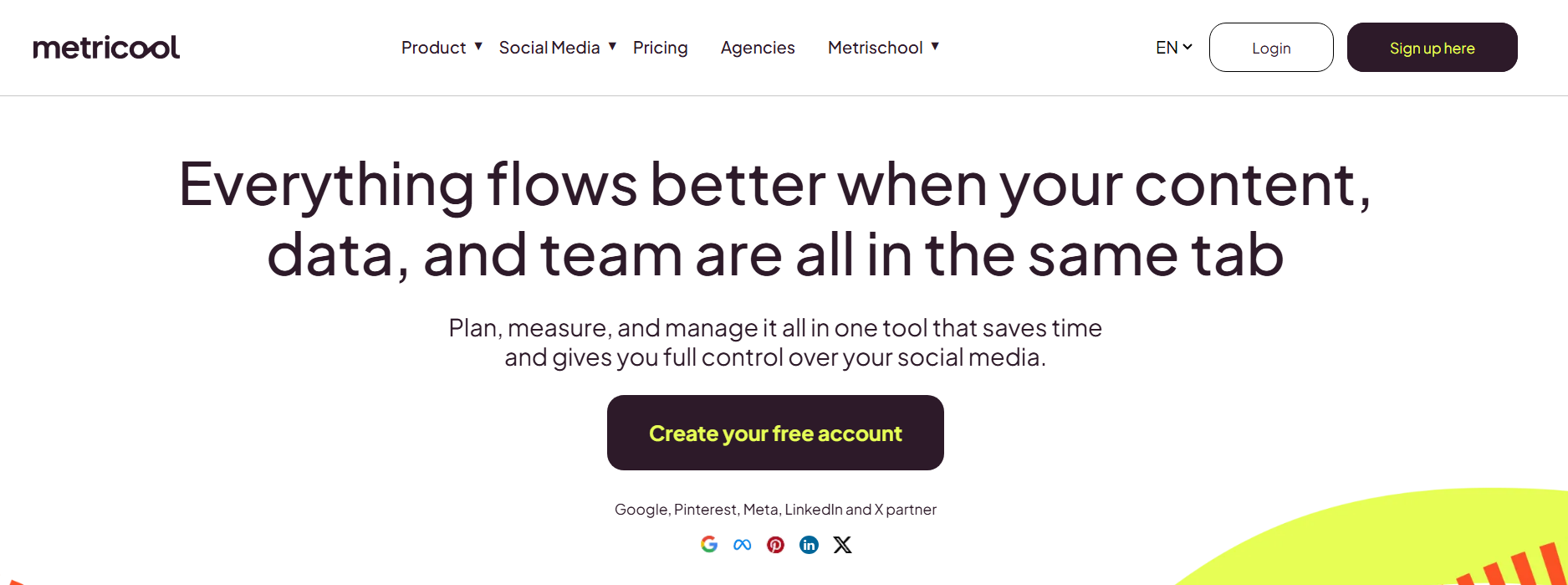
The platform combines publishing tools with analytics and reporting features, making it possible to plan upcoming content and measure how published posts perform. Its features and available limits vary depending on the selected plan.
Key Features of Metricool
- Social Scheduling: Plan and schedule content across supported social media platforms from one workspace.
- Content Calendar: Organize upcoming posts and review scheduled content through a centralized calendar.
- Analytics: Monitor social media performance and review important engagement and audience metrics.
- Reporting: Create social media reports to present performance data in a structured format.
- Competitor Analysis: Compare selected social profiles and monitor relevant competitive performance data.
- Multi-Brand Management: Manage multiple brands or social profiles according to the limits of the selected plan.
Supported Platforms
Metricool supports multiple major social networks, with available publishing and analytics features depending on the specific platform and account type.
Best For
Metricool is suitable for marketers, creators, agencies, and businesses that want social media scheduling combined with analytics, reporting, and performance monitoring.
Pros
- Scheduling and analytics in one platform
- Free plan available
- Useful reporting capabilities
- Competitor analysis features
- Supports multi-brand management
Cons
- Feature limits vary by plan
- Some advanced reporting needs paid access
5. SocialBee
SocialBee is an all-in-one social media management platform designed to help users create, organize, schedule, publish, and analyze social media content. Its workflow is built around content categories, multi-platform publishing, content customization, and centralized scheduling.
![5 Best Social Media Schedulers for Smarter in [year]](https://onlyloudest.com/wp-content/uploads/2026/10/socialbee.png "5 Best Social Media Schedulers for Smarter in [year]")
SocialBee supports 10 social platforms, including Facebook, Instagram, X, LinkedIn, Pinterest, TikTok, YouTube, Threads, Bluesky, and Google Business Profile. It also integrates with tools such as Canva, Unsplash, and GIPHY for content creation and visual assets.
Key Features of SocialBee
- Social Media Scheduling: Plan and publish content across multiple supported social platforms from one workspace.
- Content Categories: Organize posts by topic or content type to maintain a structured publishing schedule.
- Multi-Platform Customization: Adapt post length, image size, hashtags, and other elements for individual social channels.
- Content Creation: Create captions and visuals within the platform and connect external resources such as Canva, Unsplash, and GIPHY.
- Analytics: Track social performance, with analytics history and reporting features depending on the selected plan.
- Bulk Editing: Higher plans include tools for editing multiple scheduled posts more efficiently.
- Approval System: The Accelerate and Pro plans include post approval features for collaborative workflows.
- CSV Uploads: Paid plans provide CSV upload functionality for managing content in bulk.
Supported Platforms
SocialBee lists support for Facebook, Instagram, X, LinkedIn, Pinterest, TikTok, YouTube, Threads, Bluesky, and Google Business Profile. The platform also integrates with Canva, Unsplash, and GIPHY for content and media workflows.
Pricing
SocialBee currently lists three main plans. Bootstrap costs $29/month for up to 5 social media channels, while Accelerate costs $49/month for up to 10 channels. Pro costs $99/month and supports up to 25 channels, 3 users, and 5 workspaces. All three plans include a 14-day free trial without a credit card.
Annual subscriptions receive a 16% discount, according to the pricing information provided by SocialBee.
Best For
SocialBee is suitable for solopreneurs, content creators, small businesses, social media managers, and agencies that need structured content scheduling, multi-platform publishing, analytics, and collaborative workflows.
Pros
- Supports 10 major social platforms
- Structured content category system
- Multi-platform post customization
- Bulk editing and CSV uploads
- 14-day free trial available
Cons
- Advanced features require higher plans
- Multi-user support is limited by plan
Social Media Scheduler Comparison
The five platforms differ mainly in their approach to scheduling, analytics, collaboration, and pricing. The comparison below focuses on practical features that can affect your day-to-day publishing workflow.
| Scheduler | Platform Support | Scheduling | Analytics | Automation | Team Features | Free Plan |
| Sprout Social | Major social networks | Advanced | Advanced | Yes | Strong | No |
| Later Social | 8 major networks | Advanced | Yes | Yes | Yes, on paid plans | Yes |
| Buffer | 12+ social networks | Yes | Basic + advanced | Yes | Yes, on Team plan | Yes |
| Metricool | Multiple social networks | Yes | Strong | Yes | Yes, on Advanced+ plans | Yes |
| SocialBee | 10 social platforms | Yes | Yes | Strong | Yes, plan-dependent | No |
Features and plan availability can vary by network, account type, and subscription. Check the provider’s current plan details before purchasing
How the Five Schedulers Differ
Sprout Social
Sprout Social combines publishing with social management, reporting, engagement, and team workflows. Its current Standard plan starts at $199 per seat/month when billed annually, with higher tiers adding more advanced capabilities.
Later Social
Later Social places strong emphasis on visual planning and scheduled publishing. Its current Starter plan includes 8 profiles across 8 networks, while higher plans increase profiles, users, analytics history, collaboration, and reporting capabilities.
Buffer
Buffer uses a channel-based pricing model, allowing users to pay according to the social channels they connect. Its Free plan supports up to 3 channels with 10 scheduled posts per channel, while paid plans add unlimited scheduling and advanced features.
Metricool
Metricool combines social scheduling with analytics, reporting, competitor analysis, and multi-brand management. Its plan structure is designed around the number of brands and publishing requirements managed by the user.
SocialBee
SocialBee focuses on structured content management, categories, scheduling, analytics, and collaboration. Its standard plans currently support 5, 10, or 25 social profiles, depending on the selected tier.
Which Scheduler Fits Different Needs?
For Businesses and Larger Teams
Sprout Social provides scheduling alongside reporting, engagement, collaboration, and broader social management features.
For Visual Content Planning
Later Social is built around visual planning and publishing, with additional analytics and collaboration capabilities on higher plans.
For Simple Social Scheduling
Buffer provides a relatively straightforward publishing workflow with a free option and channel-based paid plans.
For Analytics and Reporting
Metricool combines scheduling with performance analytics and reporting tools, making measurement an important part of its workflow.
For Content Organization
SocialBee uses content categories, scheduling, publishing, analytics, and approval features to organize recurring social content.
How to Choose the Right Social Media Scheduler
Start by identifying the social networks you manage and the number of profiles you need to connect. This immediately removes platforms that do not match your publishing requirements.
Next, consider whether you need basic scheduling or additional features such as analytics, content categories, approvals, reporting, and team collaboration.
Finally, compare the current plan limits for users, profiles, scheduled posts, analytics history, and supported networks. Pricing can change, so the provider’s current pricing page should be used before making a purchase.
Building a Smarter Social Media Scheduling Workflow
Choosing a scheduler is only one part of improving social media management. The results also depend on how consistently you plan content, schedule posts, review performance, and adjust your publishing process.
How to Create a Better Scheduling Workflow
1. Build a Content Calendar
Plan upcoming posts by platform, content type, campaign, and publishing date. A calendar makes gaps and overlapping campaigns easier to identify.
2. Create Content in Batches
Prepare several posts together instead of creating and publishing each post individually. This can reduce repetitive work and keep your content style more consistent.
3. Schedule Platform-Specific Content
Avoid publishing exactly the same format everywhere. Adjust captions, images, video formats, hashtags, and publishing times according to each platform.
4. Review Performance Regularly
Check engagement, reach, impressions, clicks, and other relevant metrics after publishing. Use the results to identify which types of content deserve more attention.
5. Keep an Approval Process
If several people manage your social accounts, use drafts and approval workflows before content goes live. This helps reduce publishing mistakes.
6. Update Your Publishing Strategy
Social performance can change over time, so review your content calendar and scheduling habits regularly. Keep the formats and posting frequency that support your objectives.
FAQ
What is the best social media scheduler?
There is no single scheduler that fits every workflow. Sprout Social, Later Social, Buffer, Metricool, and SocialBee offer different combinations of scheduling, analytics, automation, and collaboration features.
What is the best social media scheduler for beginners?
Buffer offers a straightforward scheduling workflow and has a free plan, making it an option for users who want to start with basic social publishing. Its free plan has limits on connected channels and scheduled posts.
Can I schedule posts for multiple social media platforms?
Yes. These platforms support publishing across multiple social networks, although the exact networks, account types, and publishing capabilities vary between providers and plans.
Is there a free social media scheduler?
Yes. Buffer and Metricool currently offer free plans with feature and usage limits. Other providers may offer trials or paid-only plans instead.
Do social media schedulers provide analytics?
Yes. Analytics availability differs by platform and subscription. Metricool, Sprout Social, Later Social, Buffer, and SocialBee all provide performance-related reporting, with more advanced capabilities generally available on higher plans.
What is the difference between scheduling and social media management?
Scheduling primarily focuses on planning and publishing posts. Social media management is broader and can include publishing, analytics, audience engagement, reporting, collaboration, and content workflows.
Conclusion
The five social media schedulers covered in this article offer different approaches to planning and managing social content. Sprout Social focuses on broader social management, Later Social emphasizes visual planning, Buffer provides a straightforward publishing workflow, Metricool combines scheduling with analytics, and SocialBee focuses on structured content organization.
Choosing a scheduler depends on your social platforms, publishing volume, analytics requirements, collaboration needs, automation preferences, and budget. Comparing these factors with each provider’s current features and plan limits can help you choose a tool that fits your regular social media workflow.
